How to Redeem Game Codes: Roblox, Mobile and PC Step by Step
Most players who fail to redeem a code do not have a bad code, they have the wrong box. Games hide the redeem field in different places, and the word they use for it changes from one title to the next. Once you know the three common setups, you can redeem a code in almost any game in under a minute.
The three ways a game accepts codes
Inside the game. This is the norm on Roblox and on many mobile titles. The developer adds a text field somewhere in the interface, you paste a code, and the reward is applied to your account. The field might be called Codes, Redeem, Promo, Gift Code or simply show a small bird icon left over from the days when codes were announced on social media. Check the main menu first, then the shop, then settings.
On the publisher's website. Several mobile and gacha games take codes on a web page instead of in the app. You usually enter your player ID or UID, the server you play on, and the code. The reward then arrives in your in-game mailbox. This setup exists so the publisher can verify the account without adding a text field to every build of the game.
In a store or launcher. Codes for a full game, a DLC or store credit work differently. On Steam you use Activate a Product on Steam from the Games menu. On PlayStation and Xbox you open the store and choose the redeem option. These are purchase codes rather than promotional freebies, and they are tied to the store account you redeem them on.
Redeeming a code on Roblox, step by step
- Open the Roblox experience and join a server. Some games ask you to load fully into the world before the codes menu appears.
- Find the code box. In several popular games it sits in the settings panel, in others it is a dedicated Codes button on the left or right edge of the screen.
- Copy the code from the game's page on our codes hub with the copy button, so a hidden space or a look-alike character cannot slip in.
- Paste it into the box and press Redeem or Enter.
- Read the message. A success message usually names the reward, and an error message tells you whether the code is expired, already used or invalid.
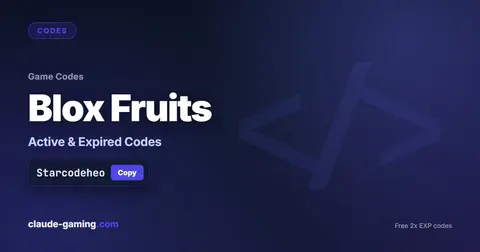
Timed boosts deserve one extra word of care. In games such as Blox Fruits, a double experience code starts its countdown the second you redeem it, so redeem it when you are ready to grind, not while you are still choosing a server.
Redeeming in a mobile game
Open the game, tap your profile or the settings cog, and look for Redeem Code, Gift Code or Exchange Code. If the game takes codes on a web page, the in-game profile screen shows the player ID you need to type there. After you submit, give it a moment and open the in-game mail: that is where most of these rewards land.
A few mobile games limit a code to a number of redemptions worldwide. When you see a message that the code has reached its limit, it is not a mistake on your side. It means other players got there first, which is why a fresh code is worth redeeming as soon as you see it.
Four checks before you give up on a code
- Spelling and case. Many codes are case sensitive, and look-alikes are easy to confuse: a capital letter O and a zero, a lowercase l and a capital I. The copy button avoids this.
- The expiry. Developers retire codes without warning. If the code is in the expired list on its game page, it is gone, and there is nothing to fix.
- Your account. Some codes need a minimum level or a finished tutorial, and a few only work on one platform or one server.
- The game version. An old build can reject a new code. Update the game and try again.
Our page for each game lists the exact steps for that title, in the section titled How to redeem, because the menu names differ so much between games. If a code that we list as working fails for you, tell us through the contact page and we will re-check it. If you want to know why an attempt failed, our troubleshooting guide walks through nine causes in order of likelihood. And one more habit that protects your account: only ever redeem codes inside the game or on the publisher's own site, never on a page that asks for a password. We explain how to spot those traps here.
FAQ
Where do I enter codes in a Roblox game?
It depends on the game, because every Roblox experience builds its own code box. Look for a Codes, Twitter or Redeem button on the main screen, in the side menu, or inside the settings panel, and paste the code there. Codes entered on roblox.com/redeem are a different thing: those are for Roblox gift cards and catalog promotions, not for in-game rewards.
Do I need a player ID to redeem a code?
Many mobile games that deliver rewards by mail ask for your player ID or UID when you redeem on the publisher's web page. You find that number in the game's profile or settings screen. Codes entered inside the game itself usually do not need it.
Why did my reward not show up after I redeemed a code?
Mobile games often send the reward to an in-game mailbox or inbox instead of adding it straight away, so open that first. If the screen confirmed the redemption, restart the game and check again before assuming the code failed.
Can I redeem the same code on two accounts?
Usually yes, because a code is normally limited to one use per account rather than one use overall. Each account has to redeem it separately, and each one meets the same expiry date.